
Google Business Profile Suspended? Here’s How to Reinstate It.


Lorraine Terry
- 15 November 2024
- Google Business
- 16 minute read time
As Google cracks down on harmful or fraudulent Google Business Profiles, legitimate profiles are getting caught in the crossfire and facing damaging suspensions.
Has your Google Business Profile been suspended? Are you wondering how to get your Google Business Profile reinstated?
Here at Advance Online, we’ve managed the Google Business Profiles of hundreds of clients. We know exactly how to go about reinstating a suspended account. In this article, we share all.
Contents
- How to Tell if Your Google Business Profile Has Been Suspended
- What Does a Google Business Suspension Mean?
- Google Business Suspension Causes
- How to Reinstate a Google Business Profile Following Suspension
- How to Appeal a Rejected Google Business Profile Reinstatement Request
- Google Business Profile Suspension: FAQs
How to Tell if Your Google Business Profile Has Been Suspended
You will receive an email notification informing you of the suspension.
If you have not received an email but suspect your profile has been suspended, log into your Google Business account and check the dashboard for a notification that says ‘Suspended’.
What Does a Google Business Suspension Mean?
There are two types of Google Business Profile suspensions.
The first is a soft suspension. In this case, the business will still appear in search results, albeit with restricted information. Customers will be unable to leave reviews, and the business will be unable to respond to old reviews.
The second is a hard suspension, which removes a listing entirely from the search results.
The consequences of this include:
- A reduction in calls and enquiries arriving
- A potential reduction in SEO rankings – a website and Google Business Profile work hand-in-hand
- An inability to gather (or respond to) customer reviews
Google Business Suspension Causes
In general, Google Business will suspend a profile that violates its “Guidelines for representing your business on Google”.
But what does this mean in practice?
We’ve honed it down to several specific reasons to help you find the cause of your suspension.
Incorrect Profile Type
Google Business has two types of profiles. ‘Storefront’ businesses, where the customer visits the premises, such as a shop or restaurant, or ‘Service-Area’ businesses, where the customer does not visit the premises, such as a plumber or roofer.
Google may suspend a profile if it is listed as ‘Storefront’ when, in reality, it is a ‘Service-Area’ business.
For clarity’s sake, a Storefront business address must adhere to the following criteria:
- It must be a dedicated office/showroom/salon etc.
- It must be a location where you meet customers
- It must be staffed during business hours
- It must have permanent signage at the location

Conflicting Information
If the information in your Google Business Profile and website are not in agreement, Google may suspend your profile. Make sure the following are consistent:
- Exact business name
- Address
- Telephone number(s)
- Email address
- Opening hours
Invalid Address
Invalid addresses include the following:
- A P.O. box
- A forwarding address
- A shared office space
Shared office space is only permitted if you rent a dedicated office with permanent signage that is staffed during office hours.
Content Violation
Google strives to ensure a safe and positive experience for all its users. If a profile violates its user guidelines, for instance, with abusive or illegal content, Google will suspend it.
Suspicious Review Activity
Review platforms are vulnerable to fake reviews aimed at bolstering a business’s rating and presence. If Google suspects a business has generated fake or inauthentic reviews, it may suspend the profile.

Account Manager Flagged for Suspicious Behaviour
Every Google Business is linked to a Google Account or manager. If a Google Account has violated Google guidelines by engaging in nefarious activity, Google will not only suspend the account but the Google Business profiles too.
Nefarious activities include spam or phishing emails.
Duplicate Profiles
It is against Google’s guidelines for a business to have more than one Google Business Profile. Duplicate profiles run the risk of getting suspended.
The only exceptions are for businesses with multiple storefront addresses, such as regional offices or chain stores/restaurants.
‘Spammy’ SEO Tactics
Implementing ‘spammy’ SEO tactics within the profile to rank more highly hinders user experience and is against Google guidelines.
If a company called ‘ABC Car Ltd’ presented itself as ‘ABC Cars – Mechanic – MOT – Service – Manchester’, Google would consider this keyword stuffing and would likely suspend the profile.
High-Risk Categories
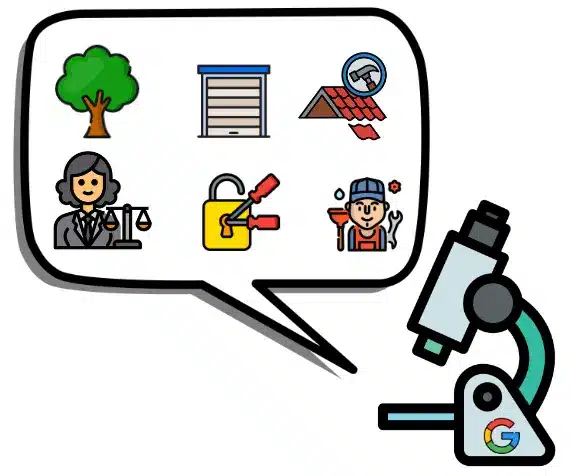
Google deems certain business types as ‘high-risk’ for fraud and other illegal or deceitful practices.
These include businesses such as personal injury lawyers, locksmiths, estate agents, plumbers, roofers, landscapers, tree surgeons and garage doors.
Such profiles come under extra scrutiny and may suffer suspension for small or perceived violations.
How to Reinstate a Google Business Profile Following Suspension
To reinstate a Google Business Profile, follow the below steps:

Establish the Reason for Suspension and Make Adjustments
Google will not explain the exact reason for a suspension; businesses have to figure it out for themselves.
Bearing in mind the reasons listed above, complete a full review of your Google Business Profile and remediate any violations.

Prepare the Supporting Information
Once started, the appeal form has a time limit of 60 minutes, so it’s important to gather any supporting information in advance.
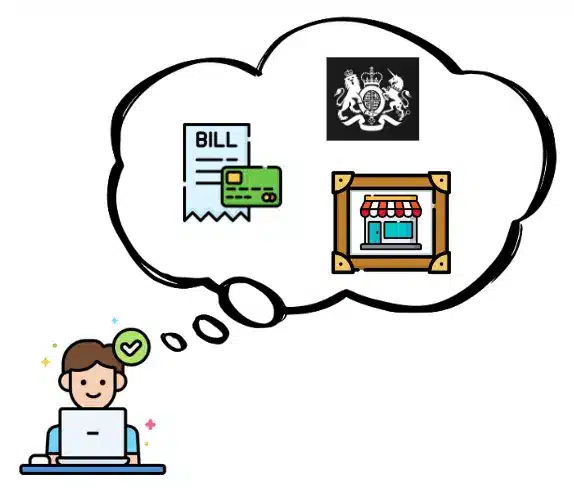
When submitting an appeal, you may be asked to provide the following:
- A utility bill for the business, such as water, electricity, phone or internet
- Business registration (this is readily available on Companies’ House)
- Photo/Video evidence of any signage (business cards, leaflets, a liveried vehicle, uniforms, external or internal signage on the building)

Submit the Appeal
To submit the appeal, complete the following steps:
i) Follow the link in the email or log into the Google Account associated with your Google Business Profile and open the Google Business Profile appeals tool

ii) Select the Business Profile that you want to reinstate

iii) You may be prompted to add optional evidence to support your appeal. To add evidence, attach files that clearly support your appeal. State any relevant information in the comments box, such as the reasoning for any recent changes to your profile that may have caused the suspension. Evidence and comments are strongly recommended.

Note that if supporting information is not attached within 60 minutes, it will not be included within the appeal.
iv) Select ‘Submit’
How to Appeal a Rejected Google Business Profile Reinstatement Request
If your reinstatement request was denied, you may be entitled to submit an appeal. Add any supporting information that will strengthen your appeal, such as the documents listed above or more detailed textual comments.
Google Business Profile Suspension: FAQs
There is no set time frame. It can take anywhere from two weeks to several months.
Yes, you can submit reinstatement requests for multiple profiles. If the request is for more than 10 profiles, select the relevant option denoting this and attach a spreadsheet containing all the business IDs and supplementary evidence.
You first need to appeal the restriction of the Google Account on the My Accounts Page.
If the reason for your Google Business Profile suspension is that your Google Account has been restricted, once the account restriction is lifted, the Google Business Profile will be reinstated.
Otherwise, once the Google Account is reinstated, follow the regular process for submitting a Google Business Profile Reinstatement Request.
Yes. The systems operate around the clock - evenings, weekends, middle of the night.
It’s likely your profile is still violating the Google Business Guidelines. If you cannot figure out what’s wrong, it may be time to call in the professionals, such as a Google Business specialist or a digital marketing agency.
The best way to avoid a suspension is to adhere to the Google Business Guidelines. Pay particular attention to the consistency of data across your online presence. It’s easy to get tripped up.

Google Business Profile Suspension: Final Thoughts
Google Business Profile suspensions can be frustrating and costly.
By establishing the reason for your suspension, remediating the faults and submitting a reinstatement request, you can get your profile back online and visible to customers.
Advance Online is a digital marketing and local SEO agency with years of experience optimising and managing Google Business Profiles. If you have any questions, please don’t hesitate to get in touch.
Get Expert Help for Your Google Business Profile!
Still struggling to get your Google Business Profile reinstated? Then it might be time to reach out for help from the experts. Book a free, no-obligation consultation today!
Featured Articles


Book a chat with us
